Explore a scope and request a reviewed quote. Coastal confirms service availability, qualified trade partners, site conditions and final pricing before a proposal.

ADDITIONS & CONVERSIONS

Living space expansions

Expand everyday living space while improving the connection between old and new rooms. Confirm the structural opening and furniture layout before deciding on windows, roof lines and finish transitions.

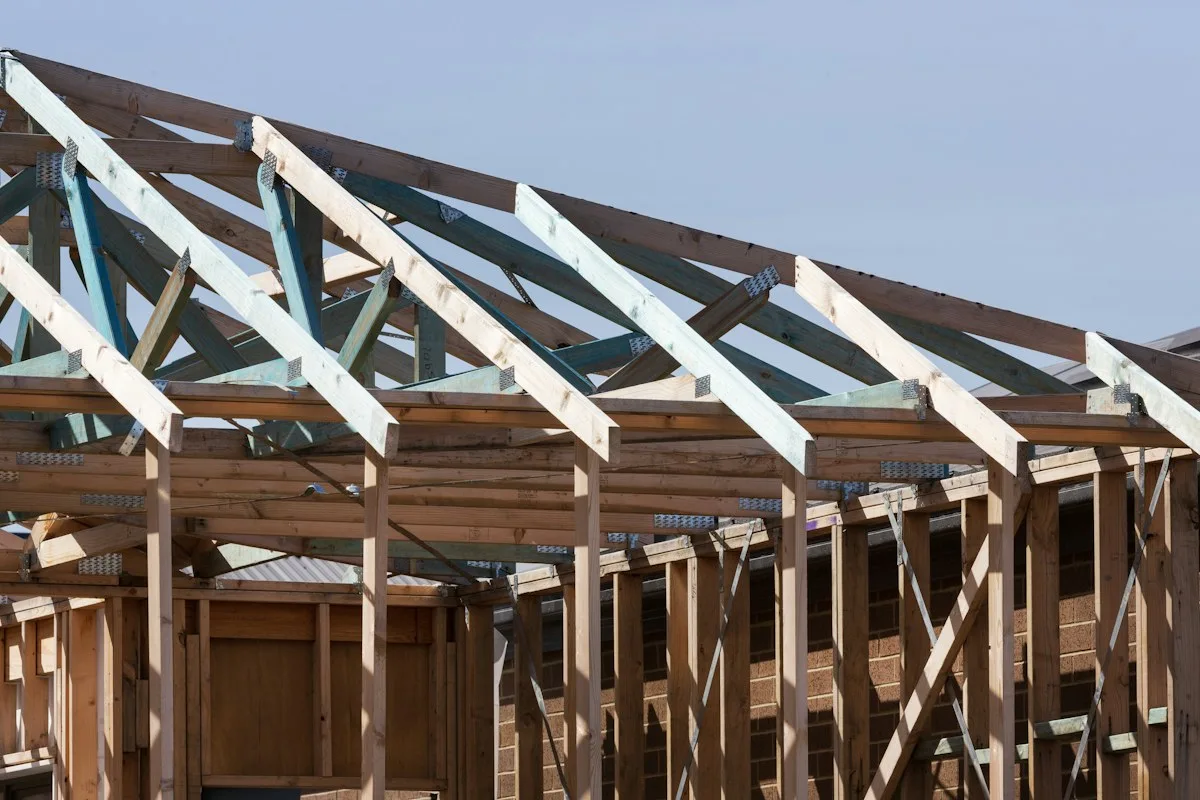
Timber roof framing under construction
Troy Mortier · Unsplash License Stock reference photograph; not a Coastal project or specified product.

START WITH THE DETAILS

What goes into
the work.

Measure the proposed footprint, ceiling height and connection to the existing home. Separate new conditioned area from converted existing area.

Typical scope to confirm

  • Plan seating, circulation and daylight
  • Design the opening into the existing home
  • Coordinate foundation, roof and enclosure transitions
  • Extend agreed systems and align interior finishes

Make it specific to your project.

Enter the amount of work and choose the details you know. Your choices follow you into the Project Builder.

LOW / MIDDLE / HIGH REFERENCE

Low$125per sq ft
Middle$150per sq ft
High$175per sq ft

Low and high are published reference endpoints. Middle is their arithmetic midpoint, not a quoted average, product tier or firm price.

A planning reference for this service only. Selections, local labor, access, quantities and existing conditions need Coastal’s review. Do not add overlapping whole-project and component ranges.

HomeGuide · research checked 2026-10-22 · US national · installed

Continue with these selections ↗

What changes the price

  • Width of structural opening
  • Added floor area and glazing
  • Roof geometry and matching existing finishes
What the reference covers
  • New room construction and standard completion
Allow for these separately
  • Kitchen reconstruction unless listed
  • Whole-home flooring replacement beyond defined transitions
  • Kitchen or bathroom package
  • Major structural alteration outside the addition

KNOW WHAT COMES NEXT

From first idea to finished work.

  1. Plan the scope

    Review the new living area and wall or roof tie-ins.

  2. Prepare and approve

    Develop plans, assess foundations, obtain approvals and order key products.

  3. Complete the work

    Build foundations and structure, tie in the envelope, then complete trades and finishes.

  4. Review and close out

    Complete inspections, restore access and review the finished addition.

Planning & preparation
6–16+ weeks
Work on site
8–20+ weeks

Illustrative planning allowance for the stated scope, not a promised start or completion date. On-site time starts after approvals and materials are ready; procurement, inspection waits, curing and discoveries can extend the calendar.

Engineering and approval scope · Tie-ins and occupied-home phasing · Site conditions, weather and procurement

PERMIT PLANNING

A permit is required for the stated scope

New buildings and substantial additions require building permits in OKC, Edmond and Moore. Confirm site approvals and any separate electrical, plumbing and mechanical permits for the selected address.

  • New dwelling or substantial new building
  • New enclosed floor area or change of use
  • New or altered utility systems

ENGINEERING & DESIGN

Engineering required for these conditions

Edmond requires an engineered footing design for the footprint additions covered by its alteration/addition checklist. Other locations and existing-space conversions need scope-specific structural review.

  • An Edmond footprint addition under the city alteration/addition checklist
  • New loads on existing framing or foundations
  • Unusual soil conditions or nonstandard structural details

Confirm requirements with the city or county responsible for the property before work begins. The address, exact scope and adopted code determine the final requirements.

Local permit & engineering sourcesOklahoma City — building and trade permits ↗ Edmond — when a permit is needed ↗ Edmond — residential alteration/addition checklist ↗ Moore — building permits and inspections ↗

MAKE IT FIT YOUR HOME

Your starting options.

Compare the scope before choosing products. Any direction can be refined with Coastal.

MATERIALS & DETAILS

Find your finish.

These original swatches show a general visual direction. Confirm a physical sample, exact finish code and product compatibility before ordering.

Exterior color direction

Interior finish direction

Illustrative stone-look tile finish

Stone-look tile

Illustrative tile direction; final material and slip rating are separate selections.

Use this direction

PRODUCT RESEARCH

Brands & real-world examples.

Manufacturer references help compare options. They do not imply a Coastal dealership, endorsement, or a product selected for your project.

Explore example photos

Open the original source for product and installation imagery. These are reference links, not Coastal project photographs.

YOUR PROJECT, VISUALIZED

Choose a direction.
See it in your space.

Start with common living space expansions options, personalize the details, then upload a photo to create an AI concept.

Family room

Add a dedicated gathering space with flexible furniture layout.

  • Space use: Living room
  • Main color / finish: Soft white
  • Custom product, finish code, or request: Family room. Finish direction: Soft white. Add a dedicated gathering space with flexible furniture layout.
Use this look

Dining expansion

Create room for a larger table and clear circulation.

  • Main color / finish: Blue gray
  • Custom product, finish code, or request: Dining expansion. Finish direction: Blue gray. Create room for a larger table and clear circulation.
Use this look

Open connection

Explore a wider connection subject to structural review.

  • Main color / finish: Sage
  • Custom product, finish code, or request: Open connection. Finish direction: Sage. Explore a wider connection subject to structural review.
Use this look
Timber roof framing under construction
Troy Mortier · Unsplash License Stock reference photograph; not a Coastal project or specified product.

FROM INSPIRATION TO YOUR SPACE

Your home. This direction.

The example photo is inspiration. Your personalized concept applies your saved service and finish selections to the photo you upload.

  1. Choose a preset and adjust its selections.
  2. Add a photo of the room or area.
  3. Create a concept, compare it, and keep it with your project.
Open the visualizer

AI concepts are illustrations. Product matches, measurements and feasibility require Coastal’s review.

YOUR NEXT STEP

Bring it into your plan.

Keep rooms, measurements and choices together in the Project Builder.

Related scopes

Research sources & pricing notes

Reviewed 2026-10-23. Published ranges describe the source’s stated scope and geography; they are not an Oklahoma adjustment or a Coastal estimate. Do not add overlapping project ranges together.

Stock photograph license · Finish swatches and scope diagrams are original illustrations.

Harbor

Coastal’s AI project consultant

Ready to help
Coastal Construction
Optional voice conversation

Speak or type; Harbor answers aloud. Your microphone stays off until you choose voice.

Service guide · prepared Coastal answers
AI chat uses your messages and selected project details; optional voice uses audio. OpenAI processes these when AI is used. An inquiry is sent to Coastal only when you submit it.

Talk to a person
Call now · 405-872-6050