Move a partition
Relocate a verified nonstructural room boundary.
Plan this option COASTALCONSTRUCTION
Explore a scope and request a reviewed quote. Coastal confirms service availability, qualified trade partners, site conditions and final pricing before a proposal.
WHOLE-HOME & ROOM RENOVATIONS
Reconfigure interior partitions and openings to improve circulation or room use. Identify structural and utility constraints before a layout is priced or demolished.
START WITH THE DETAILS
Measure each room separately. Note ceiling height and walls or openings you want to change. Do not assume a wall can be removed.
Enter the amount of work and choose the details you know. Your choices follow you into the Project Builder.
SCOPE-SPECIFIC PRICING
Defined scope following measurements and condition review A numeric range is withheld until the scope and relevant costs are known.
A planning reference for this service only. Selections, local labor, access, quantities and existing conditions need Coastal’s review. Do not add overlapping whole-project and component ranges.
HomeGuide · research checked 2026-10-22
KNOW WHAT COMES NEXT
Identify every partition and affected electrical, plumbing or HVAC run.
Confirm selections and permits, protect occupied areas and phase demolition.
Complete approved rough work, repairs and finish installation in a coordinated sequence.
Test affected systems and review each room and any agreed punch items.
Illustrative planning allowance for the stated scope, not a promised start or completion date. On-site time starts after approvals and materials are ready; procurement, inspection waits, curing and discoveries can extend the calendar.
Occupied-home phasing · Hidden damage after demolition · Custom products and multiple trades
PERMIT PLANNING
OKC and Edmond require permits for structural alterations; Edmond also includes cutting away walls or partitions. Confirm the plan and trade permits before demolition.
ENGINEERING & DESIGN
Review the load path, existing supports and proposed changes before work. An engineer may be needed for nonstandard spans, added loads, damage or a reviewer-requested design; a permit alone does not mean every detail needs engineering.
Confirm requirements with the city or county responsible for the property before work begins. The address, exact scope and adopted code determine the final requirements.
MAKE IT FIT YOUR HOME
Compare the scope before choosing products. Any direction can be refined with Coastal.
MATERIALS & DETAILS
These original swatches show a general visual direction. Confirm a physical sample, exact finish code and product compatibility before ordering.

Soft neutral paint direction; confirm a physical sample in room lighting.
Use this direction

PRODUCT RESEARCH
Manufacturer references help compare options. They do not imply a Coastal dealership, endorsement, or a product selected for your project.
Interior gypsum repair; panel type must match the required assembly.
Interior paint, subject to substrate and finish specification.
Open the original source for product and installation imagery. These are reference links, not Coastal project photographs.
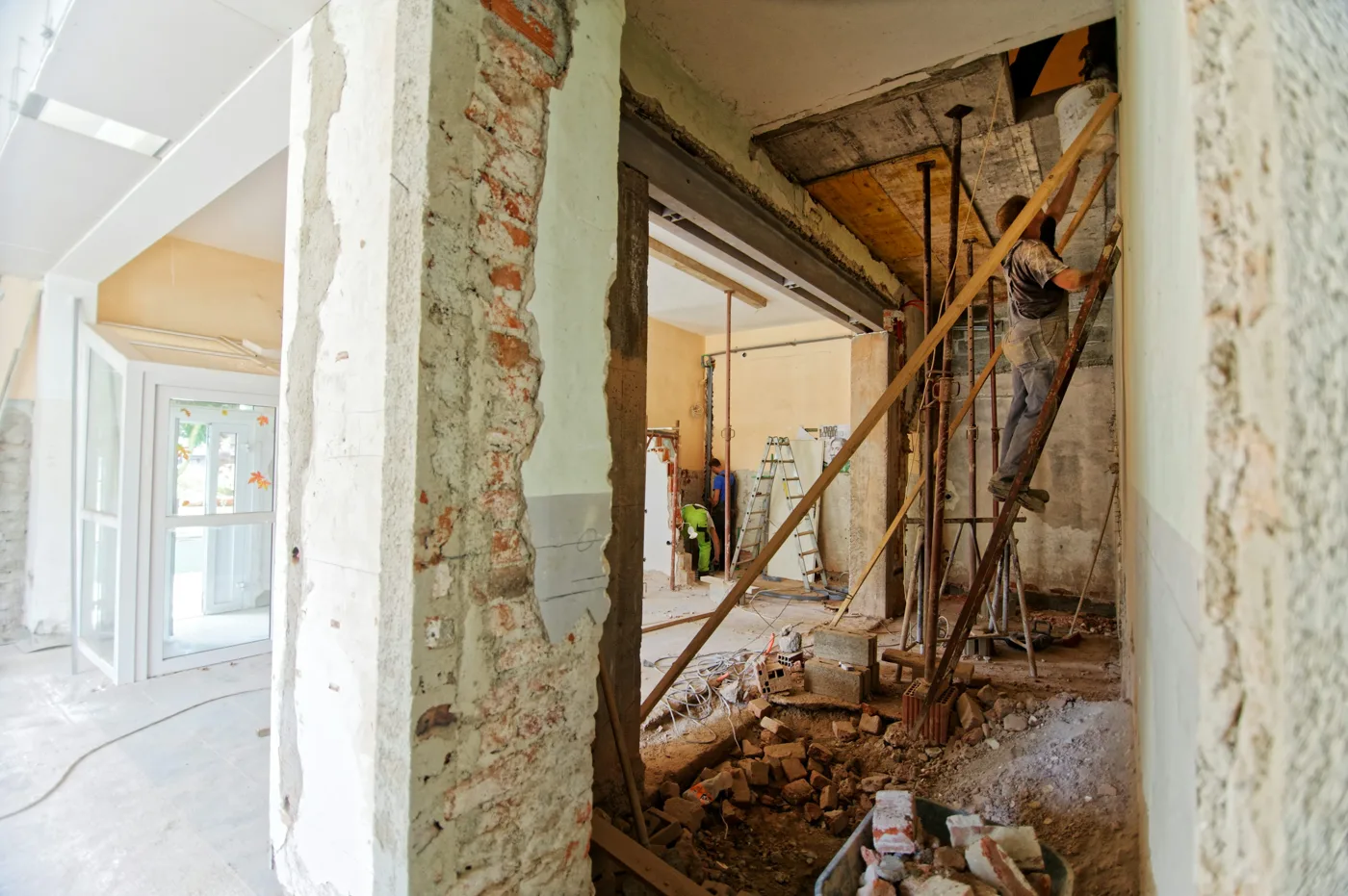
Illustrative interior demolition and layout work photographed in Croatia. Stock photograph; this is not a Coastal project or an example of specified site practices.
YOUR PROJECT, VISUALIZED
Start with common interior layout changes options, personalize the details, then upload a photo to create an AI concept.
Relocate a verified nonstructural room boundary.
Review doorway location, swing and trim repair.
Improve room use with finishes and storage instead.
FROM INSPIRATION TO YOUR SPACE
For this service, the image is a scope illustration. It cannot verify concealed conditions, engineering, code compliance or permit approval.
AI concepts are illustrations. Product matches, measurements and feasibility require Coastal’s review.
YOUR NEXT STEP
Keep rooms, measurements and choices together in the Project Builder.
Reviewed 2026-10-23. Published ranges describe the source’s stated scope and geography; they are not an Oklahoma adjustment or a Coastal estimate. Do not add overlapping project ranges together.
Stock photograph license · Finish swatches and scope diagrams are original illustrations.